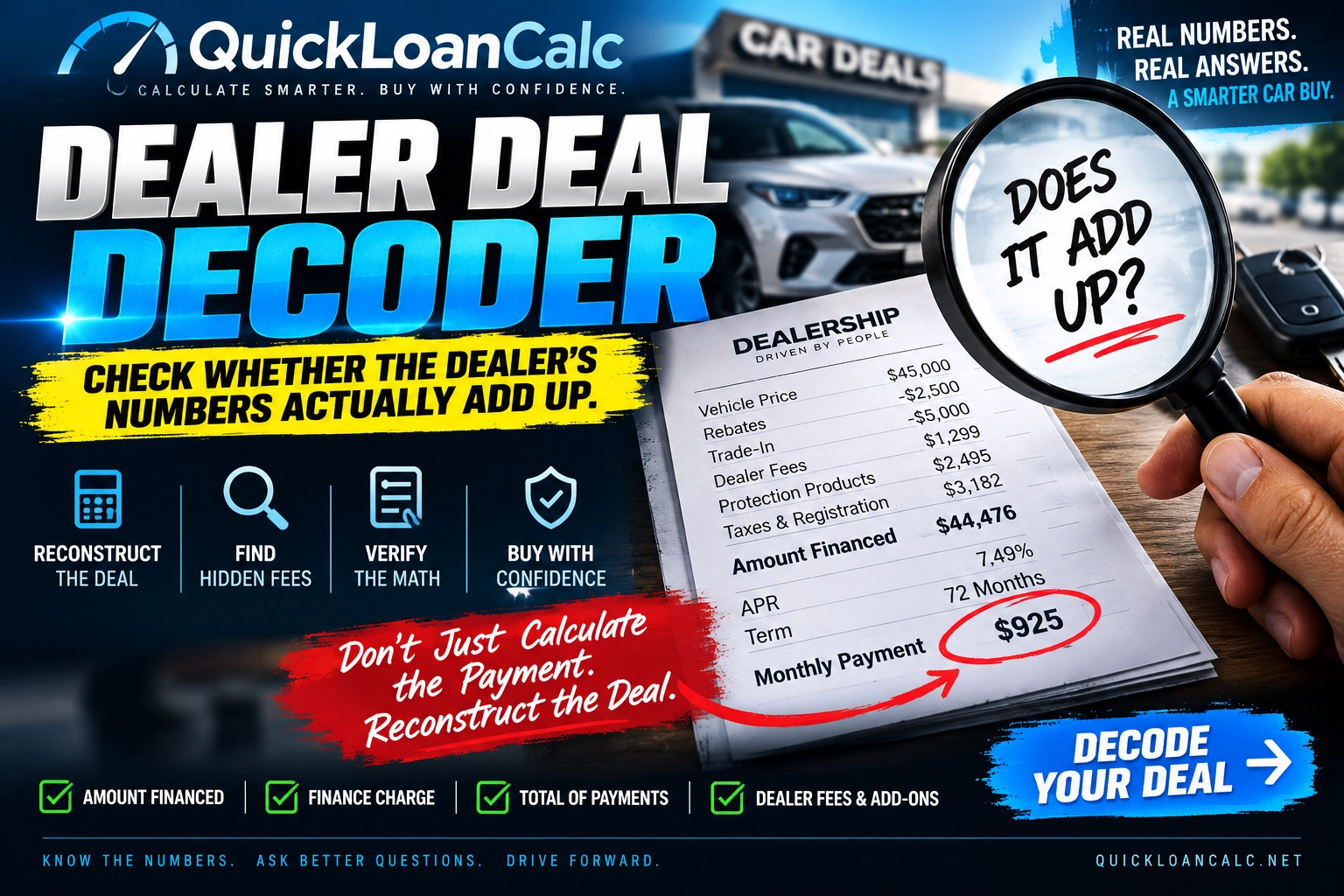
Buying a vehicle can involve far more numbers than the monthly payment printed on the worksheet.
Vehicle price. Trade value. Trade payoff. Cash down. Rebates. Taxes. Dealer fees. Protection products. Amount financed. APR. Finance charge. Number of payments. Total of payments.
When all of those numbers are combined, one simple question matters:
Does the deal actually add up?
The QuickLoanCalc Dealer Deal Decoder is designed to help you reconstruct an auto financing transaction and compare the mathematics behind the deal with the figures provided by the dealer or lender.
Instead of asking only:
“What is my monthly payment?”
the Dealer Deal Decoder asks:
“What numbers had to produce that payment?”
Use the Dealer Deal Decoder
Put the Dealer’s Numbers to the Test
Enter the figures from the dealer worksheet, buyer’s order, financing quote, or signed contract.
The Dealer Deal Decoder will reconstruct the deal, compare the financing figures, and show you where the numbers reconcile — and where they may need an explanation.
Decode This Deal ↓
Reconcile the Dealer Contract, Line by Line
Enter the exact figures from the final buyer’s order and Truth-in-Lending disclosure. The calculator records the inputs, applies disclosed formulas, cross-checks the contract totals, and can generate a versioned audit report for independent verification.
We'll compare the quoted payment with the payment produced by the deal.
At the stated APR and term, this is approximately how much principal the quoted payment can support.
This is a mathematical reconciliation tool, not a legal conclusion, expert opinion, or guarantee of admissibility. A court determines whether a report or calculation is admissible. Taxes and deal-structure rules vary by jurisdiction. A mismatch means the figures should be traced to the original contract and itemization; it does not by itself prove wrongdoing.
QuickLoanCalc Dealer Contract Audit Report
Source Inputs
Audit Results
Calculation Method
| Monthly rate | contract interest rate ÷ 12 |
| Standard payment formula | P = A × r ÷ [1 − (1 + r)−n] |
| Zero-interest formula | P = A ÷ n |
| Reverse principal formula | A = P × [1 − (1 + r)−n] ÷ r |
| TILA arithmetic cross-check | Amount Financed + Finance Charge − Total of Payments |
| Rounding | Internal calculations retain full JavaScript numeric precision; displayed currency is rounded to the selected currency’s cents or whole units as shown. |
Generating…
Go Beyond the Dealer Worksheet
For a stronger review, the Dealer Deal Decoder — Audit Edition can also use figures directly from the final auto loan contract and Truth-in-Lending disclosure.
Enter the disclosed Amount Financed, Finance Charge, Total of Payments, number of scheduled payments, payment amount, and financing rate. The Decoder can compare those figures with the deal reconstructed from the vehicle price, trade-in, down payment, taxes, fees, and add-ons.
It can also check whether:
Amount Financed + Finance Charge = Total of Payments
The tool can compare the sum of the scheduled payments with the disclosed Total of Payments. When the contract uses a standard fixed-rate monthly loan, it can calculate an expected payment from the amount financed, contract interest rate, and term.
These checks help answer a practical question:
Do the figures on the dealer worksheet and financing contract reconcile?
Reverse-Engineer the Dealer’s Payment
A standard car loan calculator starts with the amount financed, rate, and term to estimate a monthly payment.
The Dealer Deal Decoder can also work backward. It uses a quoted monthly payment, rate, and term to estimate the amount financed that would normally produce that payment.
Suppose the dealer worksheet shows $42,500 financed, but the quoted payment appears to support approximately $46,700 financed under the same rate and term.
That difference does not establish why the figures disagree. It gives you a specific question to ask:
“Where is the additional $4,200 coming from?”
Check whether the explanation appears in the taxes, dealer fees, trade payoff, financed products, payment schedule, or another contract term. The exact rate and term matter, so enter the figures from the dealer’s paperwork rather than relying on an estimate.
Use the Exact Numbers From the Contract
The accuracy of the comparison depends on the numbers entered. For the strongest review, use the exact figures printed on the dealer worksheet, buyer’s order, and financing contract whenever possible.
Look for:
- Vehicle selling price
- Rebates and credits
- Cash down payment
- Trade-in allowance
- Loan payoff on the trade
- Dealer or documentation fees
- Optional products and add-ons
- Sales tax
- Title, registration, and government fees
- Amount Financed
- Finance Charge
- Total of Payments
- APR and contract interest rate, if both are shown
- Number of scheduled payments
- Regular payment amount
- Different final or balloon payment, if applicable
If you are reviewing a signed financing agreement, preserve the original documents. The Dealer Deal Decoder helps analyze their mathematics; its results do not replace the contract.
Don’t Just Ask What the Payment Is — Ask Why
A monthly payment is the result of a financing transaction. Two buyers can have the same payment while agreeing to very different vehicle prices, loan terms, rates, trade-in values, and optional products.
That is why the Dealer Deal Decoder begins by reconstructing the amount financed:
Vehicle selling price
+ Sales tax
+ Dealer and government fees
+ Financed products
+ Negative trade equity
− Rebates and credits
− Cash down payment
− Positive trade equity
= Approximate amount financed
The interest rate and loan term then help determine the scheduled payment.
If the calculated payment differs from the dealer’s quote, trace the difference through the paperwork. Check that the same amount financed, rate, term, and payment structure were used in both calculations.
What Can Cause a Dealer’s Car Payment to Be Higher Than Expected?
A higher payment does not automatically mean something improper occurred. It may reflect a figure or contract term that was left out of an initial estimate.
Possible explanations include:
- A higher vehicle selling price
- Sales tax
- Dealer or documentation fees
- Title and registration charges
- A larger payoff on the trade-in
- Negative trade equity rolled into the new loan
- GAP coverage
- An extended warranty or service contract
- Dealer-installed products or accessories
- A higher contract interest rate
- A different number of payments
- A balloon payment or other payment variation
- Payment timing or rounding
- An incorrectly entered figure
The Decoder helps you identify the size of the difference so you can look for its source.
Watch the Amount Financed
The vehicle’s selling price and the loan’s Amount Financed are different numbers.
For example, a vehicle might sell for $45,000 while the transaction includes:
Vehicle price: $45,000
Sales tax: +$3,000
Dealer/doc fees: +$1,000
Warranty: +$2,500
Negative trade equity: +$4,000
Cash down: −$3,500
Estimated amount financed: $52,000
The $7,000 difference between the selling price and amount financed is explained by the other figures in this example.
When reviewing your own deal, ask how each tax, fee, product, trade-in figure, and credit contributes to the amount financed. If you cannot trace a figure to the paperwork, ask the dealer or lender to show you its source.
Why the Finance Charge Matters
The Finance Charge is a disclosed measure of the cost of credit. It helps put the monthly payment in context, especially when a longer loan term makes the payment look more manageable.
Compare these three figures on the financing disclosure:
Amount Financed
Finance Charge
Total of Payments
The Dealer Deal Decoder can check whether the disclosed figures reconcile. If you want to see how a different interest rate or term may affect borrowing costs, use the Auto Loan Interest Calculator.
➡️ Auto Loan Interest Calculator
Calculate how the interest rate and loan term may affect the total cost of a car loan.
Check the Total of Payments
A payment of $899 per month may sound different when expressed as $64,728 over 72 payments.
The Total of Payments shows the amount scheduled to be paid under the financing agreement. The Dealer Deal Decoder can compare the payment schedule you enter with the Total of Payments disclosed on the contract.
If those figures do not match, check:
- The number of payments
- The amount of each regular payment
- A different first or final payment
- A balloon payment
- Other payment variations
A difference is a reason to review the original payment schedule. It does not, by itself, establish an error or wrongdoing.
A Difference Is a Question — Not an Accusation
If the Dealer Deal Decoder finds a mismatch, first confirm that every number was entered correctly and that the calculation fits the loan’s payment structure.
Then compare the result with the original:
- Dealer worksheet
- Buyer’s order
- Retail installment contract
- Truth-in-Lending disclosure
- Trade-in and payoff paperwork
- Optional product agreements
- Dealer fee itemization
- Lender documents
The purpose of the Decoder is to make the numbers visible. A mismatch identifies a question to investigate; it does not determine fraud, deception, illegality, or the reason for the difference.
Questions to Ask the Dealer When the Numbers Don’t Match
Begin with the specific figures you want explained:
“Can you show me how you calculated the Amount Financed?”
“Which taxes and fees are included in that amount?”
“Can you itemize the optional products and dealer-installed add-ons?”
“What trade-in value and loan payoff did you use?”
“How was positive or negative trade equity applied?”
“What interest rate and number of payments produced this monthly payment?”
“Is the final payment different from the regular payments?”
“Where does this figure appear on the buyer’s order or financing contract?”
A question tied to a specific number gives the dealer or lender a clear place to begin.
Save the Audit, Preserve the Original Documents
The Dealer Deal Decoder — Audit Edition can generate a report containing the figures entered, calculation results, and method used.
You can use the report to review the transaction later, compare figures, or discuss a discrepancy with the dealer, lender, or a qualified professional.
Keep the original signed paperwork separately. The report records a calculation based on the information entered; it does not verify the documents or replace them.
Before You Sign, Decode the Deal
Review the deal while you still have the opportunity to ask questions about its terms.
Make sure you understand the vehicle selling price, trade-in value, trade payoff, down payment, rebates, taxes, fees, optional products, Amount Financed, APR, Finance Charge, number of payments, monthly payment, and Total of Payments.
The Dealer Deal Decoder gives you a way to put those figures together and ask:
Does this deal actually add up?
Check Affordability Before You Agree to the Deal
A transaction can reconcile mathematically and still cost more than you want to spend. After checking the dealer’s figures, compare the payment with your broader budget.
➡️ Car Affordability Calculator
Compare the vehicle’s full cost with your income, expenses, and savings.
➡️ Down Payment Calculator
See how different down-payment amounts may affect the amount financed and monthly payment.
➡️ Auto Loan Interest Calculator
Estimate how the rate and loan term may affect your total interest cost.
Check What the Vehicle May Be Worth
Even when the financing figures add up, the loan balance may be higher than the vehicle’s value. A long loan term, small down payment, or negative equity rolled in from a trade can increase that risk.
➡️ Vehicle Value Calculator
Estimate a vehicle’s value and compare it with the remaining loan balance.
If you are comparing a purchase with a lease:
➡️ Lease vs. Buy Car Calculator
Compare the costs of leasing and buying over the same period.
Before You Buy, Check the VIN
The Dealer Deal Decoder helps you examine the financial side of the transaction. Before committing to the vehicle itself, confirm that its VIN matches the vehicle and paperwork you are reviewing.
➡️ Check the Vehicle VIN with VinFrenzy.com
Use the VIN decoder to review identifying vehicle information alongside your financing documents.
Frequently Asked Questions
What is the Dealer Deal Decoder?
It is a calculator that helps reconstruct an auto purchase from the vehicle price, trade-in, down payment, taxes, fees, add-ons, and loan terms. It can compare the resulting figures with numbers on a dealer worksheet or financing contract.
Can it check the dealer’s monthly payment?
Yes. For a standard fixed-rate monthly loan, it can calculate an expected payment and compare it with the dealer’s quoted payment using the figures entered.
Why is my dealer’s car payment higher than expected?
The amount financed, interest rate, loan term, or payment structure may differ from what you expected. Taxes, fees, add-ons, and negative trade equity can also increase the amount financed. Enter the figures from the paperwork to identify what needs a closer look.
How do I check the Amount Financed on a car contract?
Enter the selling price, taxes, fees, financed products, trade value and payoff, rebates, and cash down payment. The Decoder estimates the amount financed from those figures so you can compare it with the Amount Financed disclosed on the contract.
Can it check the Finance Charge and Total of Payments?
Yes. When you enter the contract disclosures, the Audit Edition can check whether Amount Financed plus Finance Charge equals Total of Payments. It can also compare the entered payment schedule with the disclosed Total of Payments.
What if the figures do not match?
First, check the entries against the original documents. Confirm the interest rate, payment count, final payment, trade payoff, fees, and optional products. If a material difference remains unexplained, ask the dealer or lender for an itemization or seek an independent review.
Does a mismatch prove fraud?
No. It shows that the entered figures do not reconcile under the applicable calculation. The result does not establish why the difference exists.
Can I save the results?
The Audit Edition can generate a structured report of the figures entered and the calculations performed. Preserve the original dealer and lender documents separately.
Related QuickLoanCalc Tools
➡️ Car Loan Calculator
Calculate a standard vehicle payment from the amount financed, interest rate, and loan term.
➡️ Auto Loan Interest Calculator
See how much interest a vehicle loan may cost over its full term.
➡️ Car Affordability Calculator
Compare a vehicle purchase with your income, expenses, and savings.
➡️ Down Payment Calculator
See how cash down may affect the amount financed and monthly payment.
➡️ Vehicle Value Calculator
Estimate vehicle value using depreciation, mileage, age, and condition.
➡️ Lease vs. Buy Car Calculator
Compare the cost of leasing and purchasing over the same period.
➡️ All Car Loan Calculators
Explore QuickLoanCalc’s collection of auto financing tools.
Important Information
The QuickLoanCalc Dealer Deal Decoder provides mathematical calculations and reconciliation tools for general informational and educational purposes.
Results depend on the information entered by the user. QuickLoanCalc does not verify the authenticity or accuracy of dealer documents, lender documents, contracts, disclosures, vehicle information, or figures entered into the calculator.
A difference or mismatch identified by the Dealer Deal Decoder does not by itself establish fraud, deception, illegality, liability, damages, or wrongdoing.
Taxes, fees, financing structures, trade-in treatment, disclosures, and other requirements may vary by jurisdiction and transaction.
QuickLoanCalc.net is not a lender, dealer, loan broker, attorney, accountant, financial advisor, expert witness, or government agency.
If a transaction involves a significant dispute, preserve the original signed documents and consider having them independently reviewed by an appropriate qualified professional.
Last reviewed: September 2026